3. The question library
Questions, skills and role profiles used to build tests.
On this page:
- AI draft questions in the library
- Finding questions
- Writing a question
- Repository tasks
- Agent tasks: directing a coding agent
- Role profiles
- Skills
- Uploading code: secret scan and AI task ideas
AI draft questions in the library
The SetBenchmark library includes a large bank of questions written by AI, covering C, C++, .NET, Java, WordPress, Flutter, Laravel, React Native, React, frontend, Android, iOS, Sanity, Contentstack, DevOps, project management, QA and account management.
Each has an “AI draft” badge. A second AI pass checked them, but no person has yet, so read a question before you use it in a test. Filter by skill in the library to find them.
Finding questions
Click “Question library”. You see SetBenchmark’s ready-made questions and your company’s own.
Search by words at the top, and filter on the left by type, AI mode, difficulty, status and source, then click “Search”. Questions reported as leaked online are hidden unless you ask for them.
On a multiple-choice, coding, SQL or fill-in-the-blank question, click “Check if AI can solve it”. An AI answers it, seeing only what a candidate sees, and is marked like a candidate. If it gets full marks the question shows “AI can solve it”, and the library can hide or show only such questions.
Tip: “AI mode” says what a question was written for: answering without AI, with AI allowed, or working with AI.
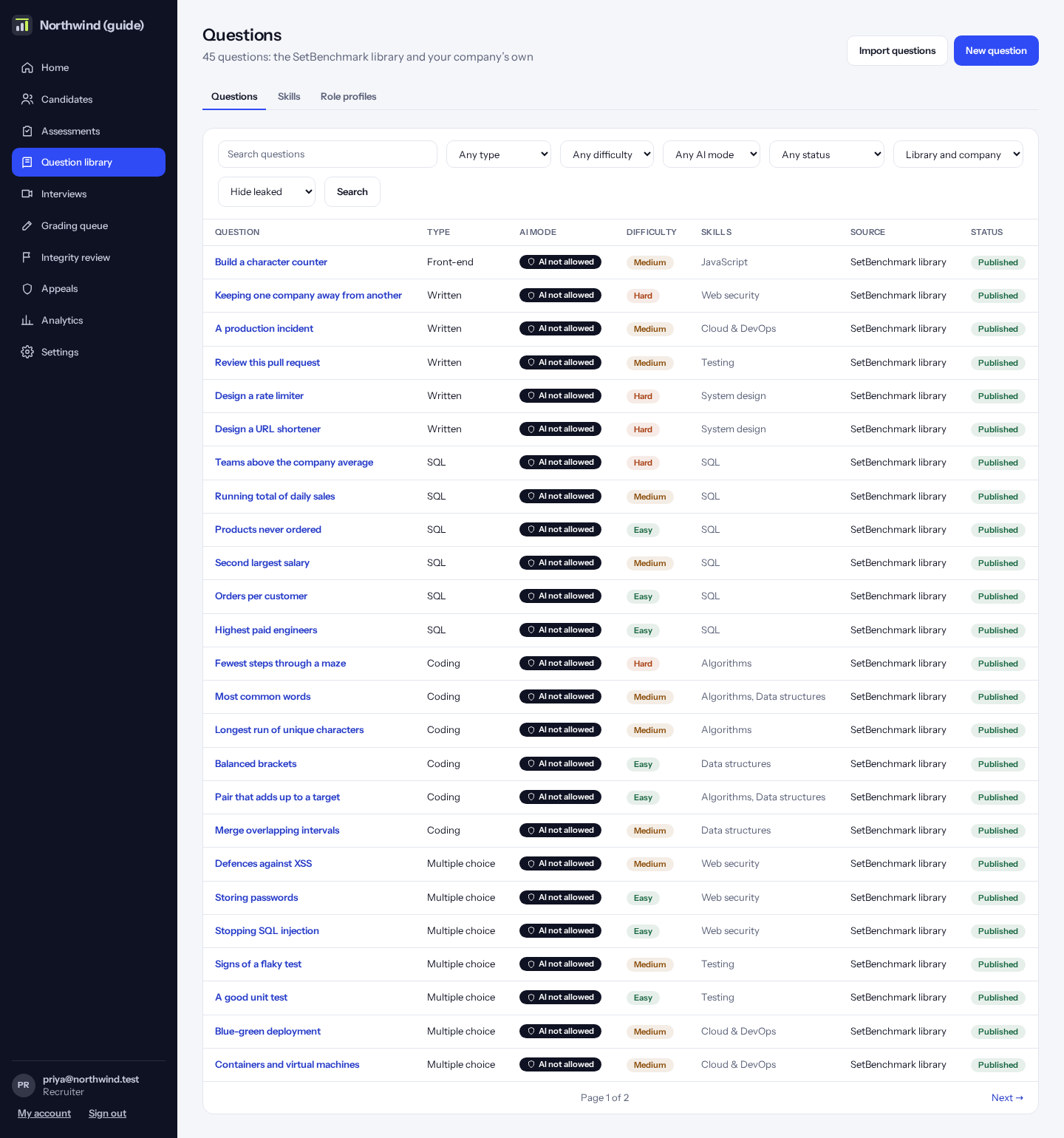
Writing a question
Click “New question” and choose the type: multiple choice, coding, SQL, written answer, a small web page, fill in the blanks, a diagram, a code review, a repository task, or a file to upload.
Fill in the title, the question, the difficulty, what it is written for, and the skills it tests. Coding questions also need test cases and a reference answer.
To check a coding question, paste an answer under “Mark this answer” on its page. For each test that fails you see its input, the expected output, what the answer printed and any error, hidden tests included (only authors see these; candidates never do). Each test also says what happened and how long it took: Passed, Wrong output, Didn’t compile (syntax error), Crashed while running, Too slow (time limit), Used too much memory, or Stopped by the sandbox. The same words appear on a candidate’s page, in the candidate’s own example runs and in Practice. Code is written in the same editor candidates use; open “Test against my own input” to run it on any input you type.
How to do it:
- Click “New question” and pick the type.
- Fill in the form and click “Save”.
- Click “Send for review”. A second person must approve it before it can go into a test.
Tip: A reviewer can “Retire” a question so it can’t go into new tests, and “Bring back” a retired one: it is live again with its approved version (or a draft if it was never approved).
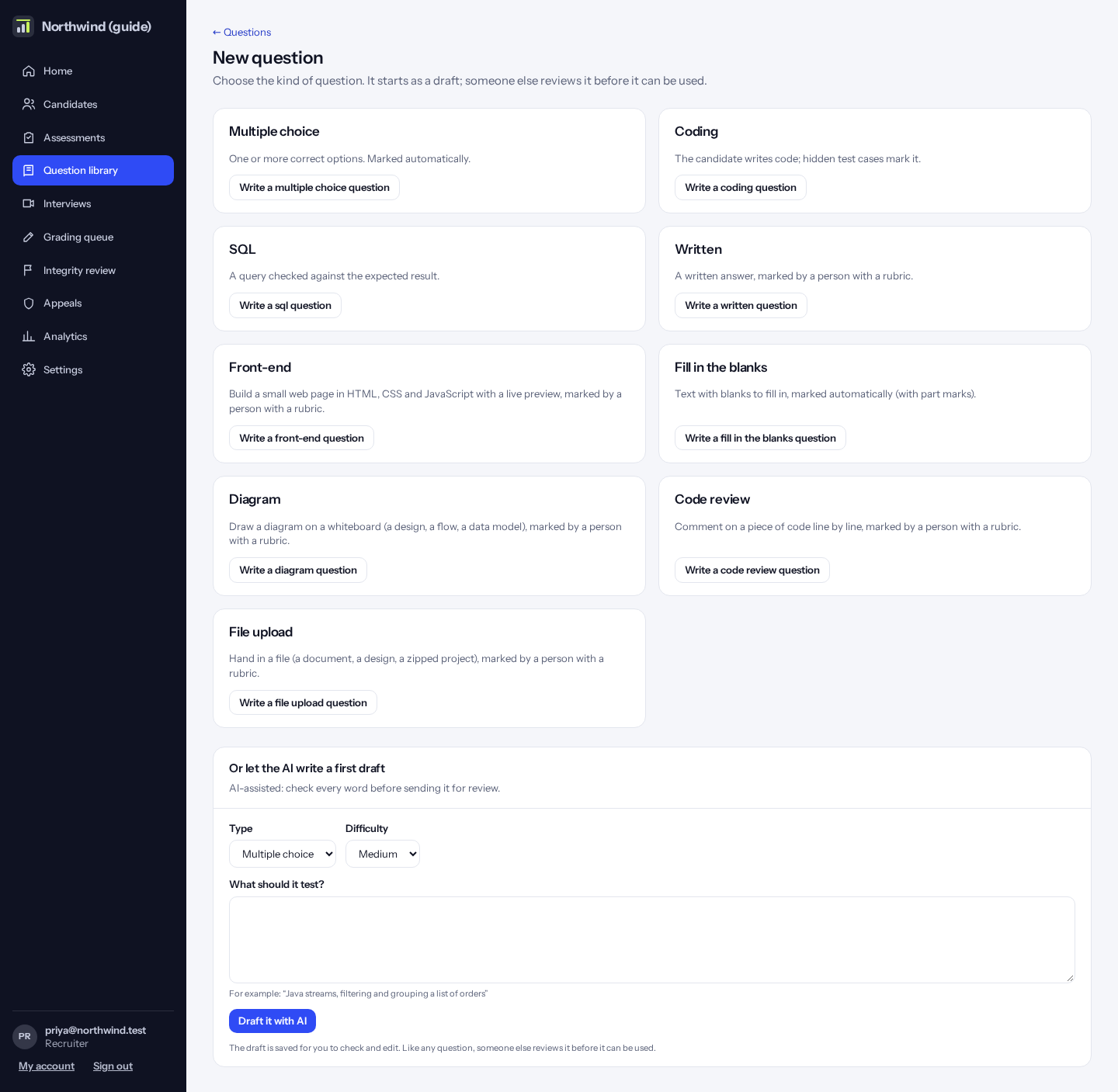
Repository tasks
A repository task gives the candidate a small codebase to fix or extend, in JavaScript, TypeScript, Python or Go. Choose “Repository task” under “New question”.
1 · Source repository: paste a public GitHub address with a branch or tag and click “Import”, upload a .zip (up to 4 MB; for a private repository, download it as a .zip), or click “Start from the example”. Only text files are kept: dependencies, build output, .git and pictures are left out, and “files left out” lists them. At most 200 files and 1 MB in all. The question keeps its own copy, so later changes to the repository don’t affect it.
Imported code (from GitHub or a .zip) is removed 30 days after the last invitation to any test using it closes: the box “Remove this code 30 days after the last test using it closes” is ticked to start with. The files are replaced by a short note and the question is retired; scores and marks are kept. Code still in a draft test, or never used in a test, stays. If the code is yours to reuse, untick the box. To use a removed task again, import the code again.
2 · What candidates can see and change: give each file a rule. “Can change”: the candidate edits it. “Read only”: shown but locked. “Grading only”: never shown to the candidate, and added back when the answer is marked. When there are grading-only test files, only they decide the score, so tests a candidate writes can’t raise it. Tick “Candidates may add files” to let them add a test of their own.
3 · How it’s scored: the grading tests’ share (60% to start with) is split by how many grading tests pass; the rest is a rubric a reviewer marks. At 100% no rubric is needed and it’s marked automatically. Set how long one test run may take (5 to 60 seconds). For Go, a run currently takes about 40 seconds, so set 60.
4 · Solution: add the changed files that solve the task. It’s never shown to candidates. “Check the grading tests” runs the tests twice: with the solution every grading test should pass, and with the files untouched at least one should fail. The same check runs when you send the question for review.
How to do it:
- Click “New question”, then “Write a repository task question”.
- Import the files or start from the example, and pick the language.
- Set each file’s rule, the tests’ share and the rubric.
- Add the solution and click “Check the grading tests”.
- Save, then send it for review.
Agent tasks: directing a coding agent
In the task editor, tick “Candidates direct a coding agent”. The test must allow AI. The candidate tells the agent what to do, and it proposes a step at a time. Nothing changes until they approve the step, and they can reject it or give a new instruction. The chat assistant is off on these tasks, so every AI step is on the record.
The agent sees only the files the candidate can see, never the grading tests or the solution. It can take 40 steps on a task. It can’t run anything: the candidate runs the tests. If your test sets the assistant to make mistakes on purpose, about one step in four is a tempting shortcut, and the candidate is told this can happen.
To see one working, the SetBenchmark library has a ready agent task: “Fix the refund total with the coding agent” (JavaScript, easy). Put it in a test that allows AI, invite yourself, and try it.
Role profiles
A role profile lists the skills a job needs, how important each is, and the level (1 to 5) needed. Templates, the skill map and “roles that fit” all use these.
If a skill isn’t tested by any published question, the profile warns you.
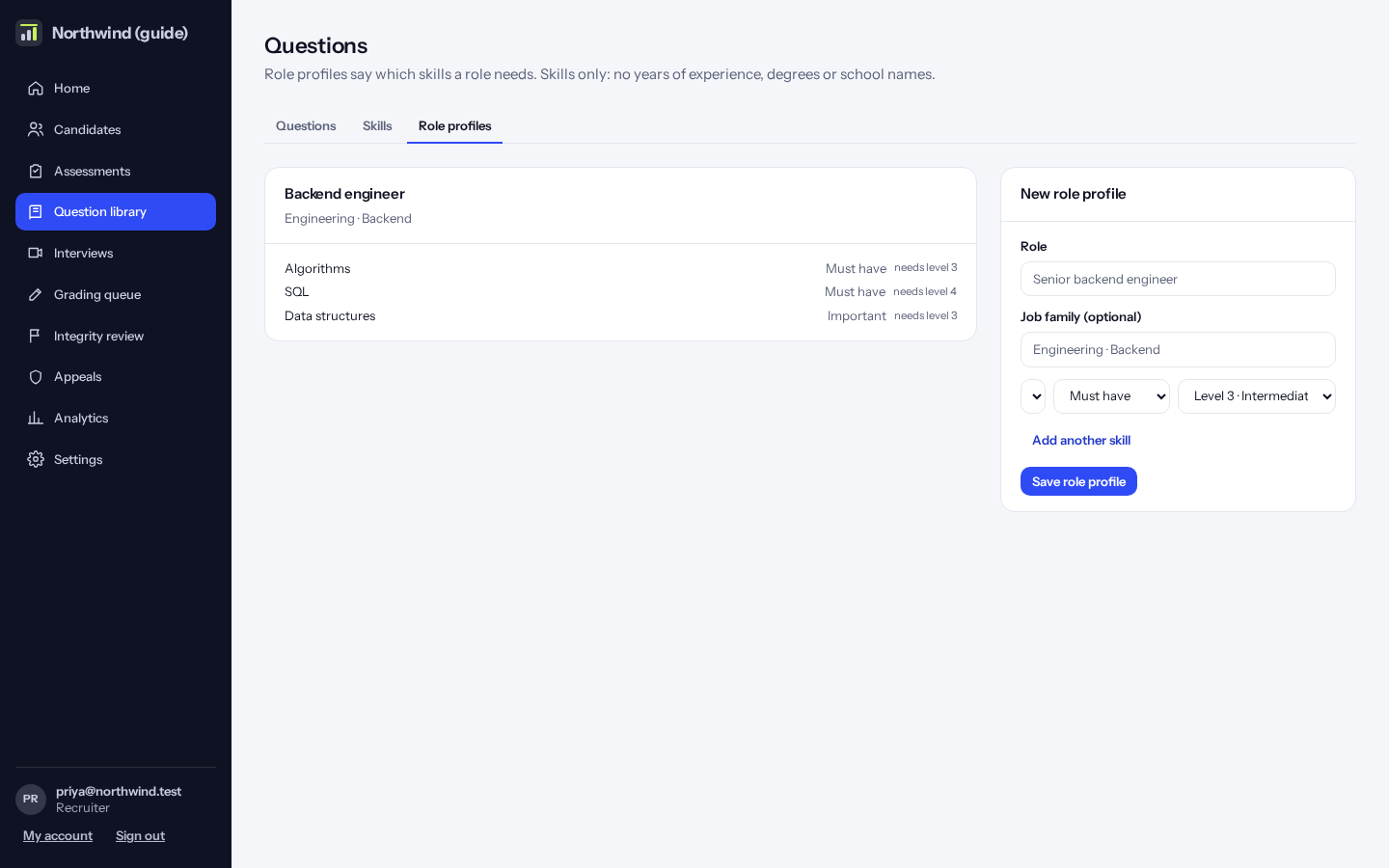
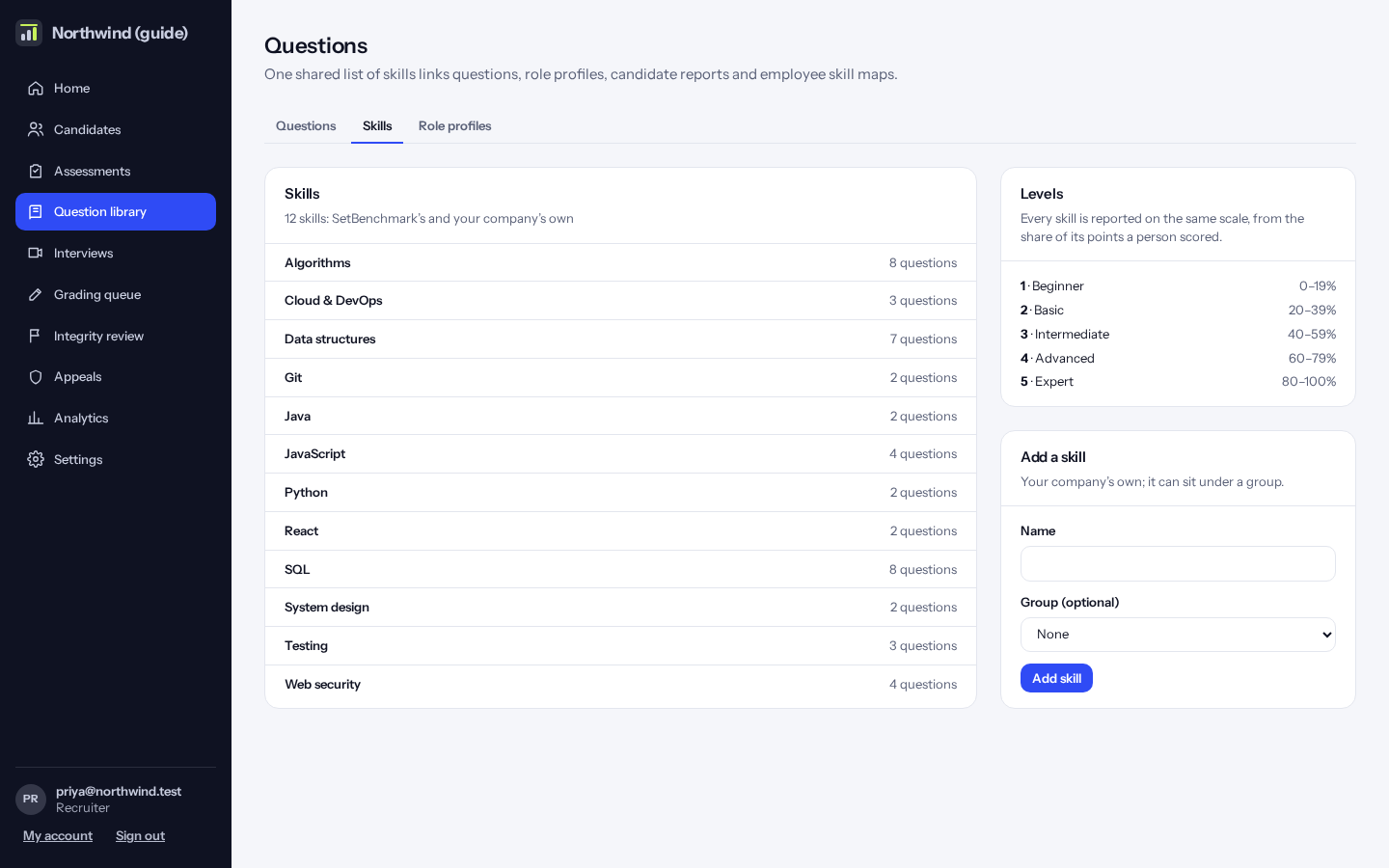
Skills
The list of skills, with how many questions test each one. Add your own skills here.
Uploading code: secret scan and AI task ideas
When you import a repository for a repository task, we check it for secrets such as AWS keys, private keys, tokens and passwords in code. If any are found the import stops and tells you the file and line. Remove them and import again. Real-looking email addresses are listed for you to check, but don’t stop the import.
Click “Suggest 3 tasks with AI” for a bug fix, a feature and a refactor based on the code, with how to test each. You choose and write the task. Your code isn’t used to train models.